Mostbet Payments for Bangladesh - Deposits and Withdrawals Methods
Deposits and cashouts should be quick and drama-free - that is how Mostbet works when you stick to the basics. This guide shows the exact cashier steps, what each status really means, and the fastest safe fixes when something stalls. Mid-article, we break down Bangladesh - specific deposit and withdrawal limits, method availability, and the checks that can slow a payout. You end with a tight checklist that keeps every request clean and support-ready for 2026.
On Mostbet, BDT deposits are usually handled through bKash, Nagad, Rocket, and Upay. Some accounts also show card or bank options, and crypto may appear when it is enabled on your profile. Use this section to choose a method before you start the deposit flow. Mobile wallets are the simplest for BDT because the details are short and the approval step is familiar. Card or bank routes can add extra provider steps. Crypto is less forgiving, since the asset and network choice can change both the limits and the time it takes to credit. What you see in the cashier is the only reliable picture of what is available right now.
Method
Typical min deposit
Typical max per transaction
Typical credit time
What to check before paying
bKash
300 BDT
30 000 BDT
Instant to a few minutes
Wallet number, BDT selected, fee line if shown
Nagad
300 BDT
30 000 BDT
Instant to a few minutes
Wallet number, BDT selected, provider message
Rocket
300 BDT
30 000 BDT
Instant to a few minutes
Wallet number, BDT selected, confirmation screen
Upay
300 BDT
Often lower than 30 000 BDT
Instant to a few minutes
Current max in cashier, name match if required
Cards or bank options if shown
Varies
Varies
Instant or longer during checks
Provider limits, possible review, bank side delay
Crypto if shown
300 BDT equivalent
Varies by asset and network
Depends on confirmations
Asset, network, address, confirmation count
Add Funds in the Cashier
In Mostbet, the smoothest top up is the one you finish in one go. Follow these steps in order:
Open Cashier, select Deposit;
Choose one method, for example bKash, Nagad, Rocket, or Upay;
Confirm the currency shows BDT;
Check the min and max limits shown for that method;
Enter the amount and continue to the provider step;
Type the wallet details carefully and approve the payment;
Return to the site and check the latest history entry;
Read the status: Pending or Processing means wait, Failed or Declined means fix the reason and try again;
Save proof: confirmation screen, amount, method, date, time, reference ID.
If the balance does not update within the on screen window, do not start a new attempt. Open the latest history entry, copy the transaction or reference ID, screenshot the status line, and send one compact message to support so they can trace it fast.
What Controls the Timing?
Processing speed depends on the payment rail. Mobile wallets can slow down during provider queues or short maintenance windows. Card or bank routes may add extra provider checks. Crypto timing is driven by the network you select and the number of confirmations. Use the processing window shown in the Cashier at the moment you submit as your baseline.
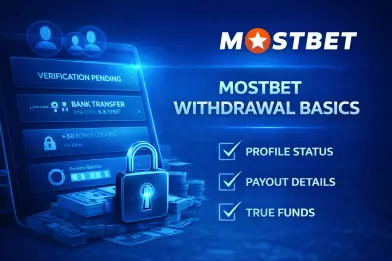
Mostbet Withdrawal Basics
A payouts request is the final action you submit in the cashier to move your available balance to a payout method. Most issues show up before you hit confirm: profile details do not match, verification is still pending, or part of the balance is tied to an active Mostbet bonus or a security hold. Stick to what the live cashier and your transaction history show. Mostbet withdrawal Bangladesh timing and rules depend on what your account displays right now.
Smooth payouts come down to three checks: profile status, payout details, and true available funds. Verification may be required before a payout is released, especially after you update account information or something flags a routine security review. Details matter because one wrong digit can push a request into decline or manual handling. Delays are usually just method queues or verification prompts, so the status line matters more than guesswork. Funds matter because locked balance can look usable until the lock clears.
Cash Out Methods in Bangladesh
When you request a payout in BDT, stick to the methods that are actually available in your cashier - that is the cleanest way to withdraw money on Mostbet mobile without guessing. In Bangladesh, mobile wallets are usually the easiest option because the details are simple and the status updates are straightforward. Crypto can also be an option, but accuracy matters more there: the wrong network or a typo in the address can slow everything down or trigger extra checks.
Method
Min withdrawal (BDT)
Max per transaction (BDT)
Public guide window
Platform fee
bKash
800
30 000
1-72 hours
0%
Nagad
800
30 000
1-72 hours
0%
Rocket
800
30 000
1-72 hours
0%
Upay
800
25 000
1-72 hours
0%
Crypto
800
78 000
1-72 hours
Fee depends on method and network
Mostbet Withdrawal Steps
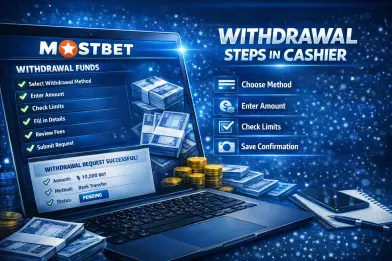
Treat the cashier page like a quick pre-flight check, not a last-second click. That is the cleanest way to withdraw money on Mostbet app Bangladesh and keep your payout moving without avoidable delays. Run through these checks in order before you submit:
Open the Cashier and go to Withdraw;
Pick one payout method for this request;
Check the currency shown for that method, then enter the amount;
Confirm the minimum and maximum limits on the same screen;
Fill in the payout details slowly and double check the name spelling;
Review the fee line and the net receive amount if it is displayed;
Make sure the balance is available, not locked by a bonus or a hold note;
Submit the request and save a screenshot of the confirmation screen.
Right after you submit, take ten seconds to log the basics from your transaction history. Save the time, amount, method, and the first status you see, then let it move instead of sending another request. If the status stalls, those details are exactly what support will ask for.
After Submission
After you submit, keep an eye on your transaction history and wait for a real status update, not just a saved entry. Do not send another request while one is still active.If nothing changes past the time estimate shown in your account, contact official support. Share the request details so they can locate it quickly.
Verification Checks Before you Withdraw
Payouts often trigger extra checks because they raise the stakes around account ownership. In real use, Mostbet withdrawal Bangladesh verification is most commonly prompted by a first cashout, a new device or browser session, unusual account activity, or a larger amount that needs a closer review. The goal is simple - confirm the account owner and keep payout activity consistent. Before you submit, keep your profile details clean and consistent, and confirm phone or email if the account asks for it. Use a payout route that is clearly yours and matches your account information. Clear anything that can lock funds, including active restrictions or bonus related locks, so the request can move forward without a manual stop.
Withdrawal Time, Fees & Status
Payout speed is not a fixed number. It shifts with the payout method, account checks, and the provider queue. Use the processing time shown in your cashier as your baseline, then follow the request in your transaction history. If your account screen disagrees with a guide or an old screenshot, trust what you see in the cashier.
Status Meanings
Status labels matter because they tell you what to do next, not because they sound official:
Pending - the request is in the queue and waiting for movement;
Processing - it is being handled or reviewed, so keep details unchanged;
Completed - it was sent out and the remaining time is on the receiving side;
Declined - it was rejected, so you need to fix the reason before retrying.
Watch for a clear status change in transaction history instead of guessing. If it stays on the same status longer than the time estimate shown in your account, move to official support with the request details.
Fee Line Ceck
Before you hit confirm, treat the fee section as part of the amount you will actually receive. Look for a platform fee, a net receive line, and any note about currency conversion. If the cashier shows “0 fee”, it usually means the site is not adding a charge, not that the whole transfer is free. Your wallet details or crypto address can still deduct a service fee or use its own exchange rate. Screenshot the fee line on the confirmation screen, then compare it with the final amount that lands in your account.
Common Withdrawal Problems
If you cannot withdraw money on Mostbet, do not guess or keep retrying. Use this table to spot the most likely cause and apply one safe fix, then wait for a real status update:
Method
Min withdrawal (BDT)
Max per transaction (BDT)
Public guide window
Platform fee
bKash
800
30 000
1-72 hours
0%
Nagad
800
30 000
1-72 hours
0%
Rocket
800
30 000
1-72 hours
0%
Upay
800
25 000
1-72 hours
0%
Crypto
800
78 000
1-72 hours
Fee depends on method and network
Mostbet Withdrawal Support Help
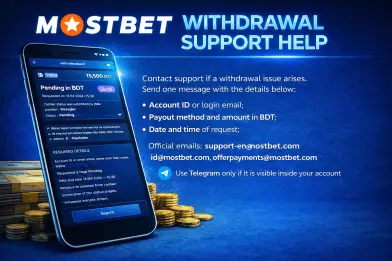
Contact support if the cashier status runs past the on screen estimate, a decline keeps repeating without a clear reason, or the request shows completed but nothing arrives within the provider’s normal window. For Mostbet casino withdrawal, send support one compact message with the details below:
Account ID or login email;
Payout method and amount in BDT;
Date and time of request;
Current status text from cashier;
Screenshot of the status page;
Any error message shown.
Use the support channel shown in your account, most often live chat, with email as a backup. Official emails: support-en@mostbet.com, id@mostbet.com, offerpayments@mostbet.com. Use Telegram only if it is visible inside your account. Once you get a reply, match it to what your cashier displays and recheck timing, status, and fees before you submit again.
FAQ
Why does Mostbet cashout speed vary for one method?
Because the method queue and account checks can change from one request to the next. A payout can sit in Pending longer during high traffic, or move to Processing if a routine verification prompt appears. The only timing that matters is the estimate shown in your cashier at the moment you submit.
Mostbet: what does “0 fee” really mean?
It usually means the platform is not adding a charge on its side. Your wallet provider may still apply a service fee or use a different exchange rate, so the final received amount can be lower than the amount you entered.
What if my Mostbet withdrawal is delayed for several hours?
Do not submit a second request. Check transaction history for a status change or a refreshed timestamp, then wait until it moves past the on screen estimate. If it stays stuck beyond that estimate, contact support with your request details and a screenshot of the status line.
What is the safest way to avoid declined payouts?
Use one payout route and keep your profile data consistent. Then run a quick pre check in the cashier:
Confirm your name spelling matches the profile;
Enter the wallet number one digit at a time;
Check min and max limits for the method;
Review the fee line and any net receive value;
Make sure the balance is available, not locked.
Why does verification show up right before the first cashout?
Payouts raise the risk level around account ownership, so first time cashouts often trigger an identity check. It can also pop up after a new device session, unusual activity, or a higher amount. The fastest path is to complete the prompt once, keep your payout details unchanged, and let the request move through the queue.
Can I change payout details after I submit a request?
No. Keep the same details while the request is active. Changing data mid review can slow the process or trigger a decline. If you spot a mistake, let the request resolve first, then submit a new one with corrected details.